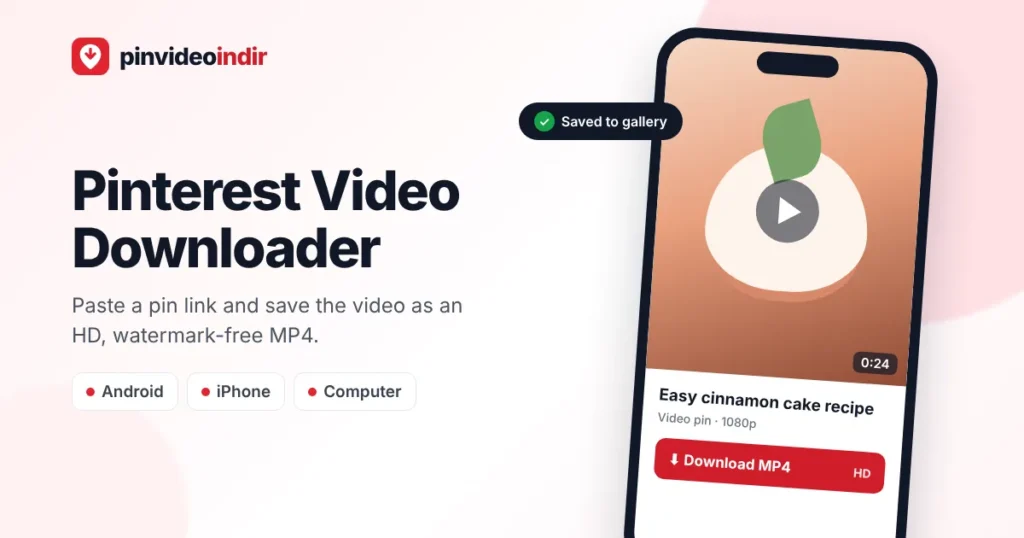
PinVideoİndir’s Pinterest Video Downloader lets you save public Pinterest videos to your phone or computer as HD MP4 files, without a watermark, an app or an account. Copy the pin link, paste it into the box above, pick a quality and the original video file is downloaded straight from Pinterest’s servers. It also works for Idea Pins, images, GIFs and carousel pins.
The Pinterest app only lets you save videos to your boards; most video Pins have no built-in download option (creators can allow downloads for full-screen 9:16 video Pins, which then carry their username as a watermark). This free online tool fills that gap on iPhone, Android, Windows, Mac and Linux, in any modern browser.
How It Works – 11-Second Demo
How to Download Pinterest Videos (3 Steps)
 1
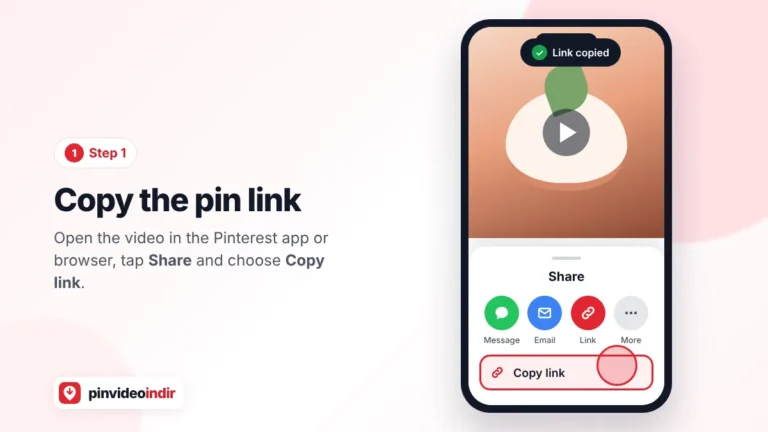
1Copy the pin link
Open the video pin in the Pinterest app or on pinterest.com, tap Share and choose Copy link. On desktop you can copy the URL from the address bar.
 2
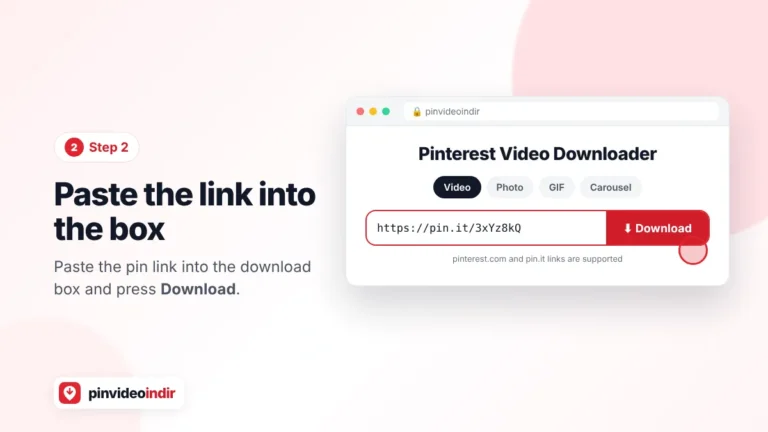
2Paste it into the box
Paste the link into the downloader at the top of this page (tap Paste on mobile or press Ctrl+V / Cmd+V) and hit Download.
 3
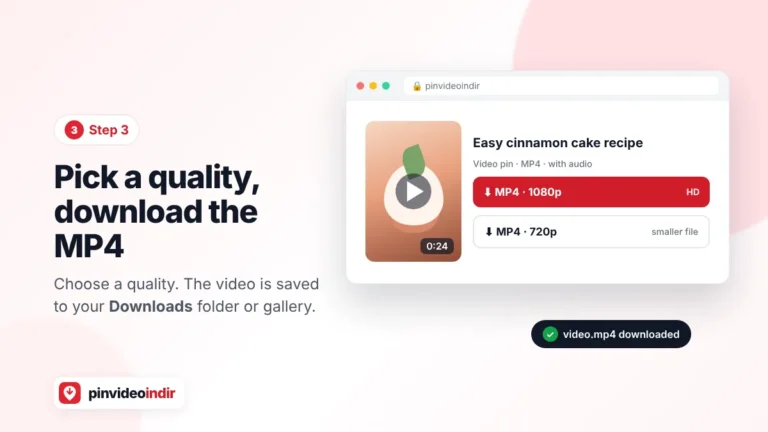
3Pick a quality and save
Within seconds you will see the available resolutions, usually 720p and, for HD uploads, 1080p. Tap one to save the MP4.
Download Pinterest Videos on iPhone, Android and PC
iPhone and iPad
Use Safari for the smoothest experience. After you tap a quality, Safari asks you to confirm the download and saves the MP4 to the Files app (Downloads folder). To move it to your camera roll, open Files › Downloads, tap the video, tap Share and choose Save Video. Safari downloads require iOS 13 or later.
Android
In Chrome, Samsung Internet, Firefox or Brave the video is saved to the Downloads folder and usually appears in Gallery or Google Photos within a few seconds. If it doesn’t, open the Files (My Files) app and look in Downloads.
Windows, Mac and Linux
Desktop browsers save the MP4 to your Downloads folder by default; press Ctrl+J (Windows/Linux) or Cmd+Shift+J (Mac, Chrome) to open the download list. If a browser plays the video in a new tab instead of downloading it, right-click the video and choose Save video as.
Why Doesn’t Pinterest Let You Download Videos?
Pinterest is built around saving ideas to boards rather than files to your device. The Save button adds a pin to one of your boards, and while image pins have a “Download image” option in the three-dot menu, most video pins don’t. Keeping videos on the platform protects creators and keeps people browsing. A downloader simply finds the public video file of a pin you can already watch, so you can keep a copy for offline viewing.
Supported Pinterest Links
https://www.pinterest.com/pin/123456789/– standard pin URLhttps://pin.it/AbC123– short link shared from the app- Country domains such as
uk.pinterest.com,de.pinterest.comortr.pinterest.com
Board, profile and search-result links point to many pins at once, so they can’t be downloaded. Open the individual video first, then copy its link.
What You Can Download
| Pin type | Format | Notes |
|---|---|---|
| Video pin | MP4 (with audio) | Highest quality Pinterest provides |
| Idea Pin / multi-page pin | MP4 / JPG | Every page is listed separately |
| Carousel pin | JPG / MP4 | Each slide can be saved on its own |
| Image pin | JPG or PNG | Original upload size, not the 736px preview |
| GIF pin | GIF or MP4 | Pinterest often serves animations as looping MP4 |
Video Quality: 720p, 1080p and HLS
Pinterest stores each video in several resolutions, and the best one you can download depends on the file the creator uploaded. Most Pinterest videos are available in 720p; videos uploaded in higher resolution also come in 1080p (Full HD). Some videos are streamed as HLS (.m3u8) segments rather than a single MP4; in those cases the downloader finds the MP4 version for you.
No downloader can make a video sharper than its source. If a site promises “4K Pinterest downloads” for a video that was uploaded in 720p, you will simply get a larger file with the same detail.
Downloader vs. Screen Recording vs. Apps
| PinVideoİndir (online) | Downloader app | Screen recording | |
|---|---|---|---|
| Installation | None | App install required | None |
| Quality | Original (720p / 1080p) | Usually original | Limited to your screen, often lower |
| Audio | Original, clean | Original | Notification sounds can leak in |
| Watermark / UI | None | Some apps add a watermark | Buttons and captions are captured |
| Permissions | None | Often broad storage/network permissions | None |
| Time | A few seconds | A few seconds | As long as the video |
Troubleshooting
| Problem | Likely cause | Fix |
|---|---|---|
| “Invalid link” | Board/profile link or incomplete URL | Open the pin itself and copy its link again |
| “No video found” | The pin is an image, private or deleted | Try the Photo tab and make sure the pin is public |
| Video saved without sound | The original video has no audio | Check the pin on Pinterest |
| Video isn’t in my iPhone gallery | Safari saves to the Files app | Files › Downloads › Share › Save Video |
| The MP4 won’t play | Default player doesn’t support the codec | Open it with VLC Media Player |
| Download is slow | Weak connection or large file | Pick 720p or switch to Wi-Fi |
Is It Legal to Download Pinterest Videos?
Videos on Pinterest belong to the people who created them. Downloading a public video for personal, offline viewing – following a recipe in the kitchen, keeping a tutorial for later – is generally fine. Re-uploading someone else’s video to Instagram, TikTok or YouTube as your own, or using it in ads or products, requires the creator’s permission. PinVideoİndir is not affiliated with Pinterest, Inc.; see our copyright (DMCA) policy for rights holders.
Privacy and Safety
We never ask for your Pinterest password or account details. The link you paste is used only to locate the media file; videos are transferred from Pinterest’s content servers directly to your device and are not stored on our servers. All connections are encrypted with HTTPS. Read our privacy policy (in Turkish) for details.
Frequently Asked Questions
Is this Pinterest video downloader free?
Yes. It is completely free, with no sign-up, subscription or download limits for normal use.
How do I download Pinterest videos on iPhone?
Open this page in Safari, paste the pin link and tap a quality. The MP4 is saved to Files › Downloads; open it, tap Share and choose Save Video to add it to Photos.
How do I download Pinterest videos on Android?
Copy the pin link in the Pinterest app, paste it here in Chrome and tap Download. The video is saved to Downloads and appears in your Gallery.
Can I download Pinterest videos without a watermark?
Yes. The downloader doesn’t add any logo or watermark. Only text or logos the creator placed in the video itself remain.
What quality are Pinterest videos downloaded in?
In the best quality Pinterest provides, usually 720p HD or 1080p Full HD MP4, depending on the creator’s original upload.
Do I need a Pinterest account?
No. Public pins can be downloaded without logging in to Pinterest or creating an account on our site.
Can I download private Pinterest videos or boards?
No. Private boards and secret pins are only visible to their owners, and boards or profiles can’t be downloaded in bulk.
Can I convert a Pinterest video to MP3?
The downloader saves MP4 files with audio. To keep only the sound, convert the MP4 with VLC (Media › Convert/Save › Audio – MP3) or the Shortcuts app on iPhone.
Can I download Pinterest images and GIFs too?
Yes. Use the Photo and GIF tabs above the input box. Images are saved in their original size; GIFs can be saved as GIF or MP4.
Where are downloaded Pinterest videos saved?
On Android and desktop browsers in the Downloads folder; on iPhone, Safari saves them to Files › Downloads, from where you can save them to Photos.
Is PinVideoİndir affiliated with Pinterest?
No. PinVideoİndir is an independent tool and is not affiliated with or endorsed by Pinterest, Inc. Pinterest is a trademark of Pinterest, Inc.